
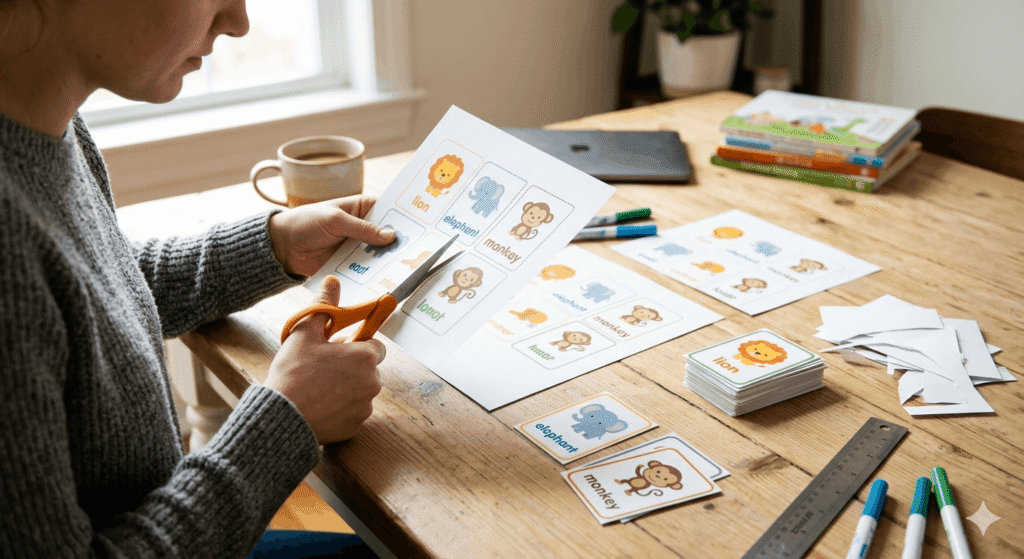
So you’ve got a PDF packed with study notes, and you’re wondering that where can I print flashcards from PDF files? Maybe you learn better with something physical in your hands. Maybe staring at a screen for another hour just isn’t happening. Either way, you’re asking the right question.
This guide covers every realistic option: printing flashcards at home, walking into a local store, and using online flashcard printing services. Along the way, we’ll get into paper vs. cardstock, duplex printing, formatting your PDF correctly, and the mistakes that waste ink and time the first time around.
Let’s get into it.
Why Physical Flashcards Still Matter
Digital tools are convenient, but there’s solid research behind physically handling study cards. The act of flipping a card, sorting your “know it” pile from your “still learning” pile. It creates a memory loop that screens genuinely can’t replicate.
That’s exactly why so many students go looking for ways to print flashcards from PDF files rather than just reviewing them digitally. You’ve already done the work of building the content now you want something real in your hands.
The good news? Whether you’re printing flashcards at home or using a professional service, the process is more straightforward than most people expect. You just need to know where to start.
Option 1: Print Flashcards at Home
For most students asking where can I print flashcards from PDF files, the answer starts right at home. If you’ve got a halfway decent printer and the right paper, home printing is the fastest and cheapest route and it gives you full control over sizing, layout, and quantity.
Here’s how to do it properly.
What You’ll Need
- A home inkjet or laser printer
- Cardstock (recommended) or heavy paper — 60–80 lb is ideal
- Your PDF flashcard file, properly formatted
- A paper trimmer or scissors
Step-by-Step: Home Printing from a PDF
1. Check your PDF layout first. Open the file and make sure each flashcard is properly sized. Standard flashcard dimensions are 3×5 inches or 4×6 inches. If your PDF was designed for A4 or letter size with multiple cards per page, you’ll need to cut them after printing.
2. Use “Actual Size” or custom scaling. When printing, avoid “Fit to Page” it will distort your card dimensions. Choose “Actual Size” in the print dialog, or manually set the paper size to match your PDF layout.
3. Enable duplex printing if you want front-and-back cards. Most modern printers have a duplex (two-sided) printing setting. For flashcards, this is huge — the question goes on one side, the answer on the other. Just make sure your PDF is formatted with matching pairs in the right page order.
4. Use cardstock, not regular paper. Standard 20 lb copy paper will flop in your hand and feel flimsy. Go for at least 65 lb cardstock. It’s thicker, holds up better, and just feels more professional. Most home printers handle up to 80 lb cardstock without issues check your printer’s manual if you’re unsure.
5. Cut carefully. A rotary paper trimmer gives you cleaner edges than scissors. If you’re printing a full sheet with multiple cards, score the cut lines lightly first.
Pros and Cons of Home Printing
| Home Printing | |
|---|---|
| Cost | Low (just ink + paper) |
| Convenience | High — print anytime |
| Quality | Moderate — depends on printer |
| Speed | Fast for small batches |
| Best for | Students printing 20–100 cards |
Option 2: Office Supply Stores
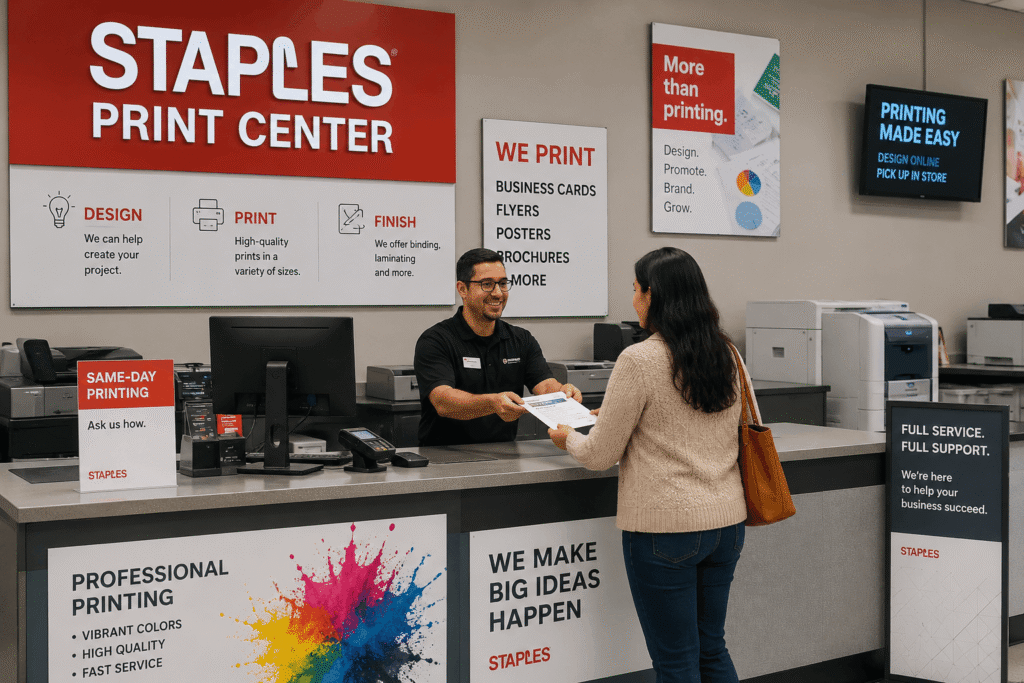
If you don’t have a great printer at home, or you need a larger batch with better quality, local office supply stores are reliable and underrated.
Stores That Print Flashcards
Staples Staples has in-store print centers where you can bring your PDF on a USB drive or upload it online. You can request cardstock printing and specify card sizing. They offer single-sided and double-sided printing options. Prices vary by location, but expect roughly $0.15–$0.40 per page depending on color vs. black-and-white.
FedEx Office (formerly Kinko’s) FedEx Office locations are widely available and offer similar services. You can upload your PDF file directly through their website and choose pickup at a nearby location. They’re generally reliable for print quality and paper weight options.
Office Depot / OfficeMax Similar to Staples — print centers in most locations, online upload options, and decent cardstock selection.
Your University Print Center Often overlooked, but campus print centers are frequently the cheapest option for students. Many universities offer discounted or even subsidized printing for enrolled students. Check if yours supports cardstock printing or custom paper sizes.
Tips for Store Printing
- Always call ahead and confirm they can print on cardstock before making the trip
- Bring your PDF on a USB drive as backup even if you upload online
- Ask specifically for “80 lb cardstock” or show them the weight you want
- Request a single test page before printing the whole deck
Option 3: Online Flashcard Printing Services
This is the option most people don’t know about and it’s genuinely convenient, especially for larger or more polished decks.
Top Online Printing Services for Flashcards
Canva Print If you’ve designed your flashcards in Canva, you can export to PDF and order physical prints directly through Canva’s printing service. They offer cards in various sizes and handle the duplex printing automatically. Quality is generally very good.
Vistaprint Known mainly for business cards, Vistaprint’s card printing is excellent for flashcards. The 4×6 card format works perfectly. You can upload a PDF, preview the layout, and order as few as 10 cards. Shipping takes a few days, but the print quality is sharp.
Printingforless.com A more professional-grade option for bulk orders. If you’re printing for a whole class or study group, this can bring per-card costs way down.
Zazzle and Moo Both services allow custom card uploads. Moo in particular is known for premium print quality and offers a “mini card” size that some students prefer for portability.
Comparison Table: Ways to Print Flashcards From PDF Files
| Method | Cost | Quality | Turnaround | Best For |
|---|---|---|---|---|
| Home Printer | Very Low | Moderate | Instant | Small batches, quick revision |
| Staples / FedEx Office | Low–Medium | Good | Same day | Medium batches, better quality |
| University Print Center | Very Low | Good | Same day | Budget-conscious students |
| Vistaprint / Canva Print | Medium | Very Good | 3–7 days | Polished, long-term study decks |
| Printingforless.com | Low (bulk) | Excellent | 5–10 days | Large classroom or group orders |
How to Print Flashcards and Print Onto Flashcards Correctly
Many students searching for how to print flashcards already have their study material prepared but are unsure about the actual printing process. The key is making sure your PDF layout matches the size and orientation of the flashcards you want to create.
Start by opening your PDF and checking whether the cards are designed as individual flashcards or multiple cards per page. In your printer settings, select “Actual Size” rather than “Fit to Page” to avoid scaling issues that can throw off card dimensions. If your flashcards have questions on one side and answers on the other, enable duplex printing and verify that the front and back pages align correctly before printing the entire deck.
Another common question is how to print onto flashcards instead of printing on full sheets and cutting them later. If your printer supports index cards, you can load pre-cut 3×5 or 4×6 flashcards directly into the paper tray and print onto them. This approach saves time and eliminates the need for trimming. However, because paper handling varies by printer model, it’s always a good idea to print a single test card first to confirm alignment.
For larger study sets, many students prefer printing on cardstock sheets and cutting the cards afterward. This method is often more efficient for bulk printing and gives you greater flexibility when creating custom flashcard sizes. Whether you’re using index cards or cardstock sheets, checking your layout and printing a test page first can save both paper and frustration.
How to Format Your PDF for Clean Flashcard Printing
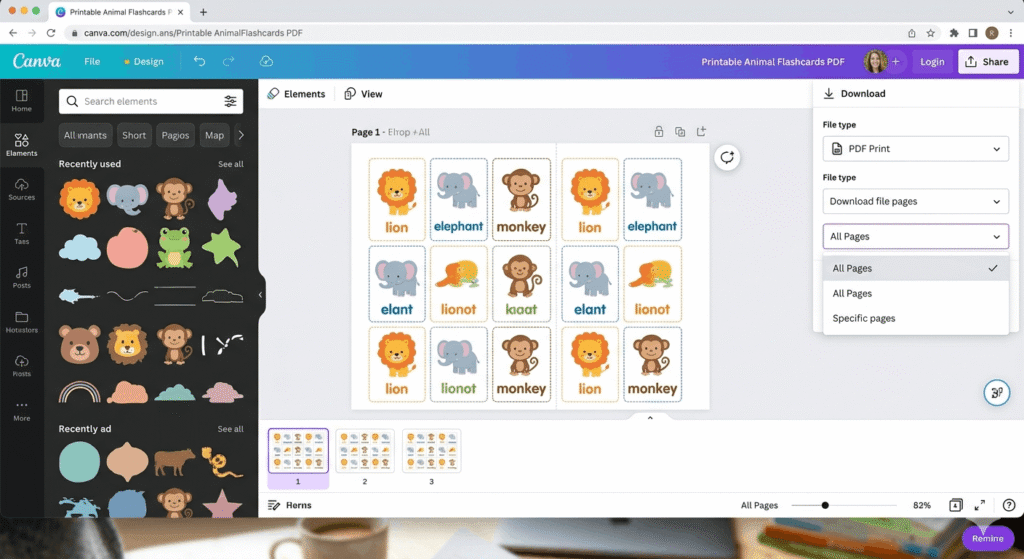
Before you send anything to print, the formatting of your PDF matters more than most people realize. This is the step that separates a clean, professional-looking flashcard deck from a messy, misaligned one — and it applies whether you’re printing flashcards at home or ordering through an online service.
If you’re specifically trying to figure out how to print flashcards from a PDF file without wasting paper on test runs, getting the layout right the first time is the single most valuable thing you can do.
Key Formatting Tips
Use standard flashcard sizes. The two most common are:
- 3×5 inches — compact, good for vocabulary or definitions
- 4×6 inches — more space for diagrams, longer answers, or images
Set bleed and margins. If you’re printing borderless cards, add a 0.125-inch bleed on all sides. This prevents white borders from appearing when the card is cut. For home printing with borders, a 0.25-inch margin on each side is safe.
Use readable fonts. This sounds obvious, but a lot of people use decorative fonts that print poorly. Stick with clean, legible typefaces — something like Georgia, Lato, or Merriweather works well for study cards.
Keep it simple on the front. The question or term should be the only thing on the front of the card. No clutter. The back can have the answer, an example sentence, or a diagram.
Export at 300 DPI. When exporting your PDF from any design software, make sure the resolution is set to 300 DPI. Anything lower looks blurry when printed. Most tools default to 72 or 96 DPI for screen viewing that’s not enough for print.
Creating Your Flashcards Before Printing
Here’s something worth mentioning: the quality of your printed flashcards is only as good as the content itself.
If you’re starting from raw notes, a dense PDF textbook, or a lecture document, turning that into clean, well-structured flashcard content takes time. A lot of students use FlashLearnAI.site to skip that manual step it uses AI to extract key concepts from your notes or PDFs and structures them into proper question and-answer flashcard format. From there, you can export and send to print. It’s a practical way to bridge the gap between “I have a 40-page PDF” and “I have a ready-to-print flashcard deck.”
That said, manually creating flashcards also has real learning value active recall starts at the creation stage, not just when you’re reviewing them.
Cardstock vs. Regular Paper: Which Should You Use?
Short answer: cardstock, almost always.
Here’s the practical breakdown:
Regular copy paper (20 lb)
- Cheap and available everywhere
- Floppy and hard to handle as flashcards
- Works only if you laminate after printing
Cardstock (65–80 lb)
- Firm, durable, easy to shuffle and sort
- Holds up through multiple study sessions
- Works in most home and office printers
- Ideal for studying
Index cards (pre-cut)
- Some printers can feed index cards directly
- Avoids cutting entirely
- Limited to 3×5 or 4×6 sizes
- Can jam in some printers — test first
For long-term study decks — especially if you’re preparing for an exam weeks out — cardstock is worth the small extra cost.
Double-Sided (Duplex) Flashcard Printing Tips
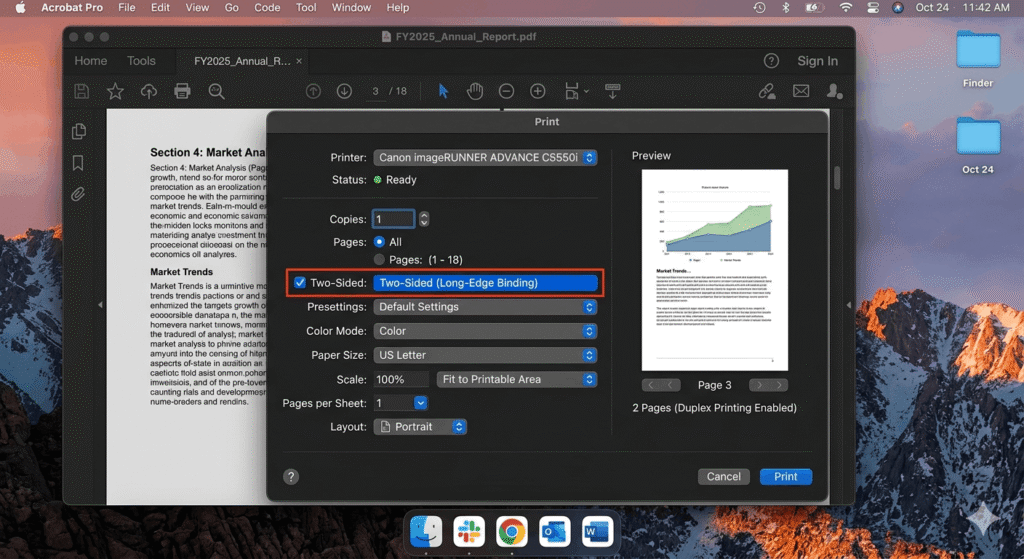
Duplex printing is the feature that makes flashcards actually functional. Without it, you’d need to print fronts and backs separately and glue them together — not ideal.
For home printers: Go to Print Settings → select “Two-Sided” or “Duplex” → choose “Flip on Short Edge” for landscape cards, or “Flip on Long Edge” for portrait orientation. Test with one sheet first before running the full deck.
For PDF files with fronts and backs on separate pages: Make sure page 1 (front of card 1) aligns with page 2 (back of card 1), page 3 with page 4, and so on. If the pairing is off, your cards will mismatch.
For online services: Most services like Vistaprint and Canva Print handle duplex alignment automatically when you upload a properly formatted two-sided PDF. Still, always use their preview tool before confirming your order.
Common Mistakes to Avoid
1. Printing on regular paper and calling it done The cards will feel flimsy, bend easily, and look cheap. Use cardstock.
2. Using “Fit to Page” in the print dialog This rescales your cards and throws off dimensions. Use “Actual Size.”
3. Not testing before a bulk print Print one page first. Check alignment, readability, and paper feed before printing 200 cards.
4. Ignoring DPI settings on export Low resolution = blurry printed text. Export at 300 DPI.
5. Too much content per card If a card takes 30 seconds to read, it’s not a flashcard — it’s a note card. Keep it tight: one concept per card.
6. Forgetting to account for bleed when cutting Design with bleed if you want borderless cards. Otherwise, cut on the printed border line, not outside it.
Digital vs. Physical Flashcards: Which Is Better for Studying?
Honestly, both have a place — and the best students tend to use a combination.
Digital flashcards (apps like Anki, Quizlet) are great for spaced repetition algorithms, studying on a phone, and quickly editing cards. The algorithm handles when to review each card, which is genuinely helpful for retention.
Physical flashcards are better for deep focus sessions, kinesthetic learners, and situations where you want to sort, shuffle, and physically interact with your material. Research suggests that handwriting or physically handling material can aid memory consolidation.
According to a study published in Psychological Science, the act of physically engaging with study material including writing and handling notes and tends to support deeper processing than passive digital review.
The practical answer: use a digital tool to build and organize your deck, then print the cards you struggle with most. Physical cards for weak spots, digital review for the full deck.
Cost Breakdown: What Does It Actually Cost to Print Flashcards?
Here’s a rough cost estimate to help you plan:
At home:
- Cardstock (100 sheets): ~$8–$12
- Ink cost per page: ~$0.05–$0.15
- Estimated total for 50 double-sided cards: $3–$8
At Staples / FedEx Office:
- Black-and-white cardstock printing: ~$0.15–$0.25 per page
- Color printing: ~$0.40–$0.75 per page
- Estimated total for 50 double-sided cards (B&W): $8–$15
Via Vistaprint or Canva Print:
- Standard 4×6 cards: ~$0.20–$0.50 each depending on quantity
- Minimum orders often apply
- Estimated total for 50 cards: $20–$35 (including shipping)
For most students, home printing is the most cost-effective. Online services make sense for polished, long-lasting decks you’ll use repeatedly.
What is the best paper size for printing flashcards from a PDF?
A: The most common flashcard sizes are 3×5 inches and 4×6 inches. For home printing, set up your PDF with multiple cards per letter-sized page and cut after printing. For online services, you can often order in these exact dimensions.
Can I print double-sided flashcards on a regular home printer?
Yes, if your printer supports duplex printing. Go to your print settings and enable “Two-Sided Printing.” If your printer doesn’t support automatic duplex, you can do manual duplex — print the fronts, reload the paper, then print the backs. Test alignment carefully before the full run.
What cardstock weight is best for printing flashcards?
65–80 lb cardstock is the sweet spot for flashcards. It’s thick enough to feel durable and sturdy, but light enough to feed through most home and office printers without jamming. Avoid anything over 100 lb unless you’re using a professional printer.
Where can I print flashcards from PDF files if I don’t have a printer?
Head to Staples, FedEx Office, Office Depot, or your university’s print center. Bring your PDF on a USB drive or upload it online. Most locations offer same-day printing and can print on cardstock upon request.
Where can I print flashcards from PDF files near me?
Your best local options are Staples, FedEx Office, Office Depot, and your university’s print center. All of them accept PDF uploads either in-store via USB or online for pickup
Is it cheaper to print flashcards at home or use an online service?
Home printing is almost always cheaper for small batches typically $3–$8 for 50 cards with cardstock. Online services like Vistaprint offer better quality and are more cost-effective for larger orders, but they come with shipping costs and a few days of wait time
What’s the best format for a PDF flashcard file before printing?
Export your PDF at 300 DPI resolution with 0.125-inch bleed on each edge if printing borderless. Use standard sizes (3×5 or 4×6 inches), embed your fonts, and make sure front and back pages are paired sequentially for duplex printing.
How do you print onto flashcards at home?
You can print onto flashcards at home by loading blank index cards or printable flashcards into your printer’s paper tray, provided your printer supports the card size and thickness. Most people use 3×5-inch or 4×6-inch cards. Before printing a full set, run a test card to check alignment and make sure the content prints in the correct position.
Conclusion
Printing flashcards from a PDF file is more straightforward than it seems once you know your options. For quick and cheap batches, home printing on cardstock is hard to beat. For cleaner results without the hassle, your local Staples or FedEx Office will get the job done same-day. And for polished, long-lasting decks, online services like Vistaprint deliver excellent quality.
Whatever route you go, the formatting matters: use the right paper size, export at 300 DPI, enable duplex printing for front-and-back cards, and always do a test print first.
Physical flashcards still have a real place in serious studying. Getting them right is worth the small amount of extra effort.